
 Login
Login

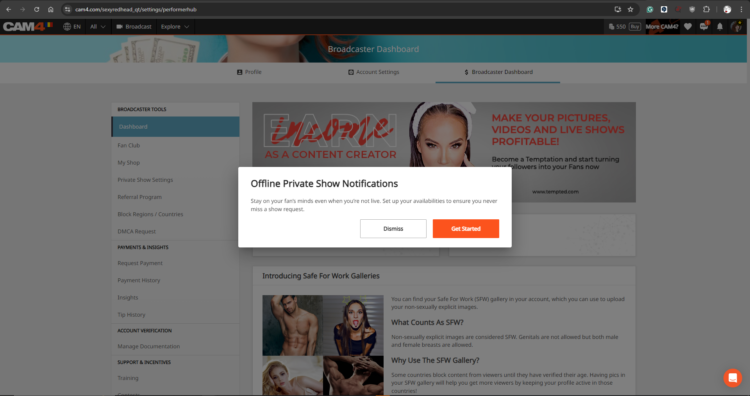
Never miss a private show request again: with Offline Private Show (OPS) notifications, fans can book at any time and you choose how you are alerted.
Offline Private Show (OPS) Notifications on CAM4
Receive private requests when you are offline, show your availability, set your rates, and choose notification channels: browser, app, email, or SMS.
Tip: activate multiple channels at the same time and put your calendar visibly on your profile for more bookings.What is OPS and Why Use It?
With OPS, viewers can always make private show requests and view your schedule — you get notifications on the channels you choose. Perfect for keeping your audience engaged, even outside your regular show times.
Notification Preferences
Personalize real-time notifications per channel: Browser, C4 Broadcaster App, Email, and SMS.
Personal Rates
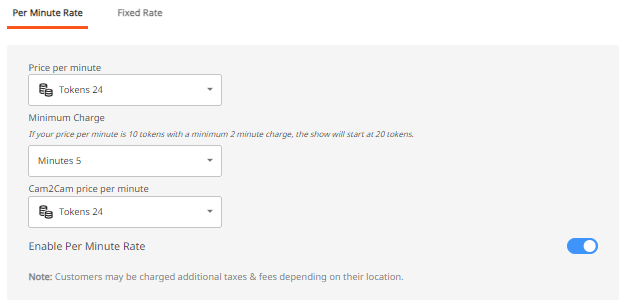
Determine your Private Rates, set up Cam2Cam and Spying as you want.
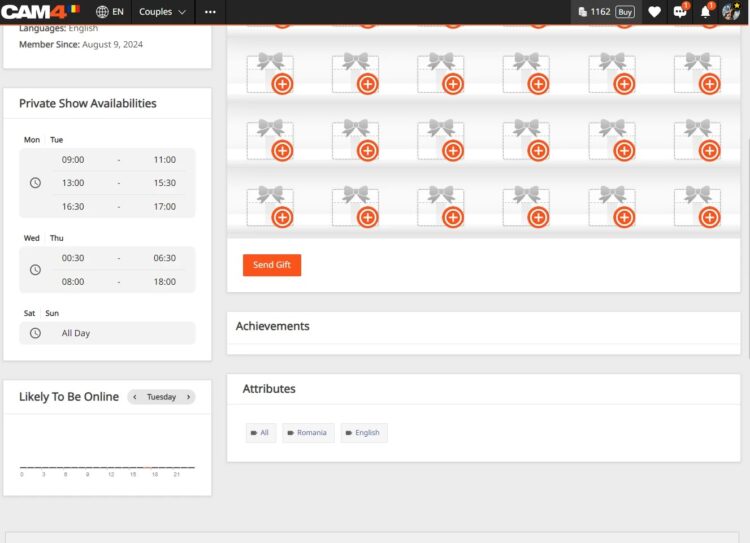
Visible Calendar
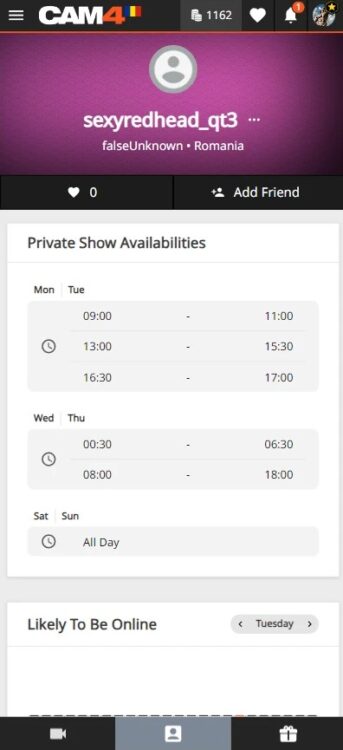
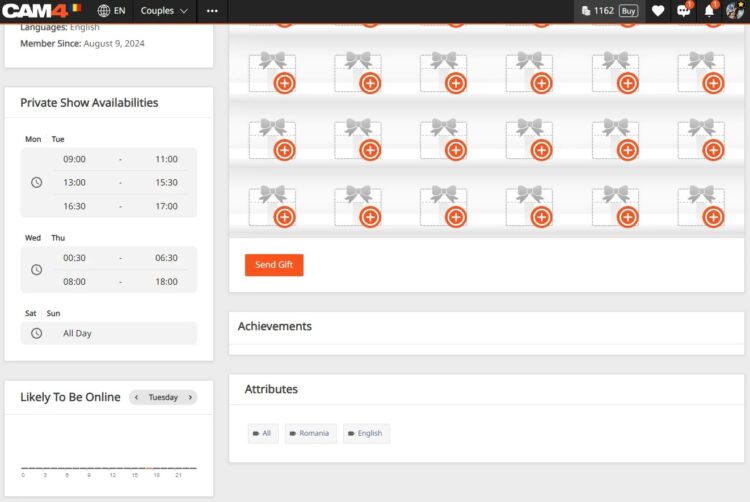
Publish up to 3 time slots; your schedule appears directly on your profile and in Messenger.
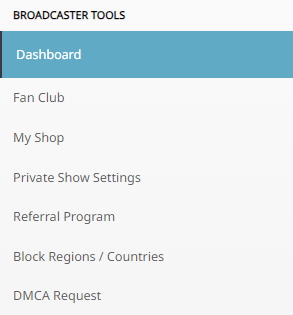
Setting Up OPS: How to Find the Options
Log in, click on MENU (top right) → Performer Dashboard → Private Show Settings.
Important: OPS notifications are set to OFF by default. Set the switch to ON to activate.
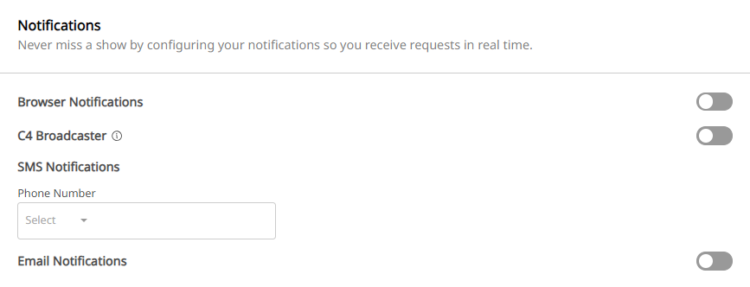
Notification Channels
Browser Notifications
Pop-ups on your screen as long as your browser (Safari, Firefox, Chrome) is open. Set “Browser Notifications” to ON.
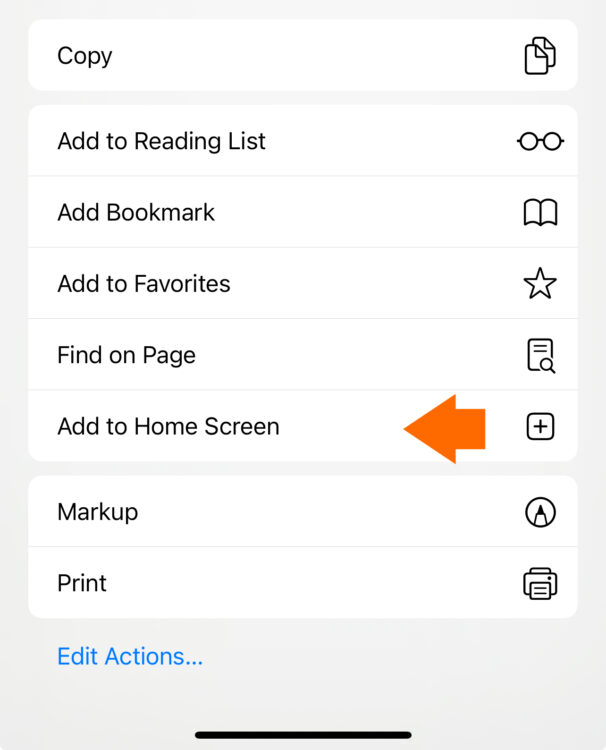
iOS Users: add the web app to your home screen and open it from there to receive notifications.
- Go to CAM4.com in your browser.
- Click on the download icon and choose “Add to Home Screen”.

- Rename (optional) and confirm “Add”.

C4 Broadcaster App
Receive push notifications on your phone via the C4 Broadcaster App. Set “C4 Broadcaster” to ON in your OPS settings.
Email Notifications
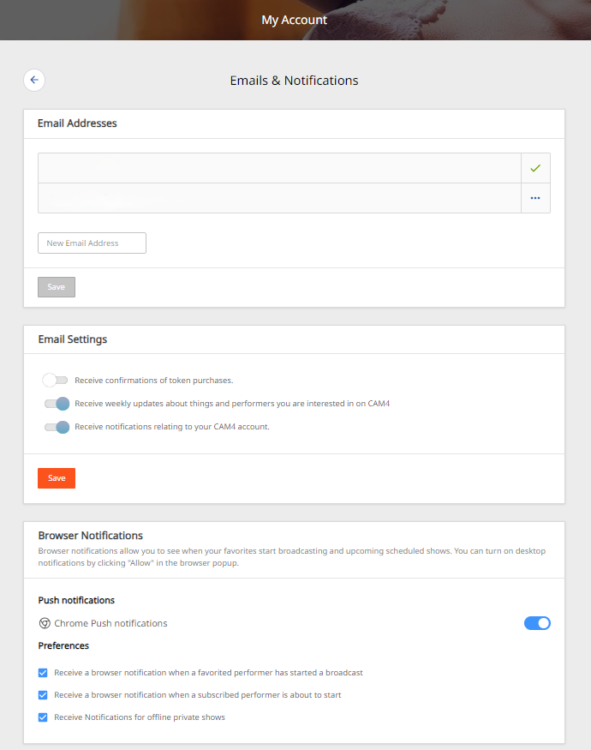
Keep a record in your inbox. In your email preferences, set “Receive notifications about your CAM4 account” to ON.
SMS Notifications
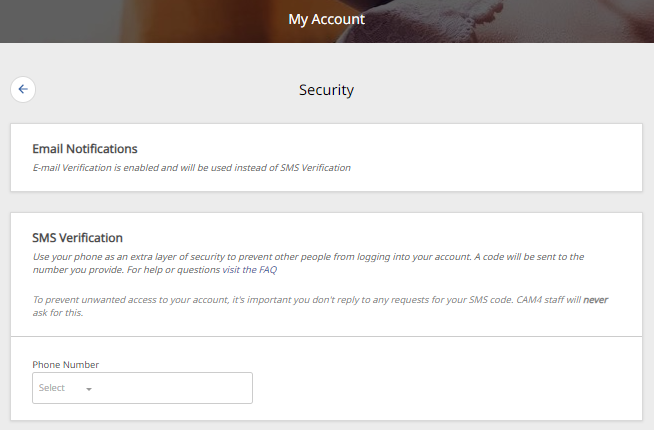
Receive an SMS with each private request. Add your mobile number in the settings.
Note: if 2FA is enabled, your SMS number must match the 2FA number.
Price Settings for Private Shows
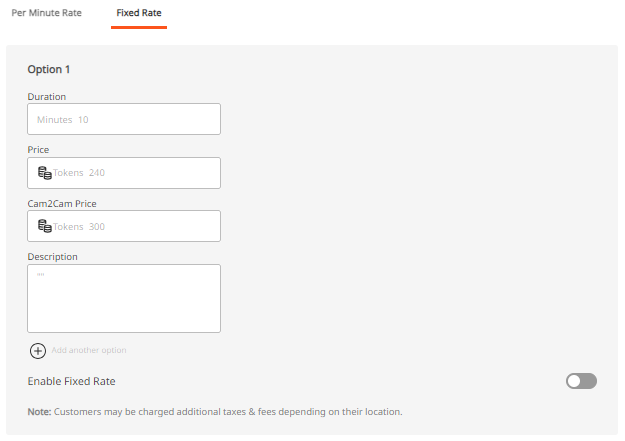
Set your prices as you want: per minute or as a fixed rate. Configure “Price Per Minute”, “Minimum Time Limit”, “Spy Per Minute Rate”, and “Cam2Cam”.
3 Useful Tips
- Receive multiple notifications: activate more than one channel so you are always reached.
- Adjust your availability: set time slots open when you accept private requests.
- Show your schedule on profile & Messenger: increase the chance that fans will book when you are free.
With the right settings, your private show flow becomes more organized, responsive, and profitable.


